Bookings, deposits, and consent that actually verifies.
Put one link in your socials. Clients send you a request with reference images. You pick a date, set a deposit, and send a pay link — the date locks in when they pay, and not before.
Free to use. $1.99 per $100 of deposits you collect. No monthly fee.
Four things, and the app does all of them.
Everything below happens in the Inkwell app on your phone. This website is where your clients find you.
Your public page
Every artist gets myfkntattoos.com/@yourhandle — your work, your prices, your booking form. That's the link that goes in your bio, and it's the only thing your clients ever need.
Requests land in your inbox with the client's description, their placement and size, preferred dates, and up to four reference images. Your phone buzzes the moment one arrives.
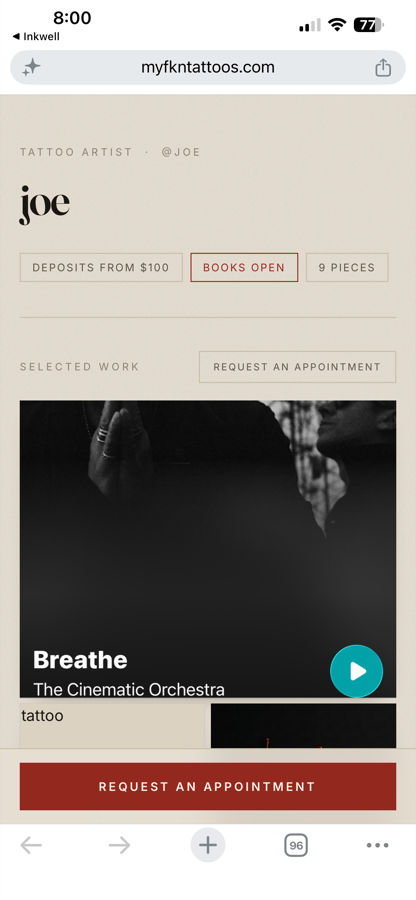
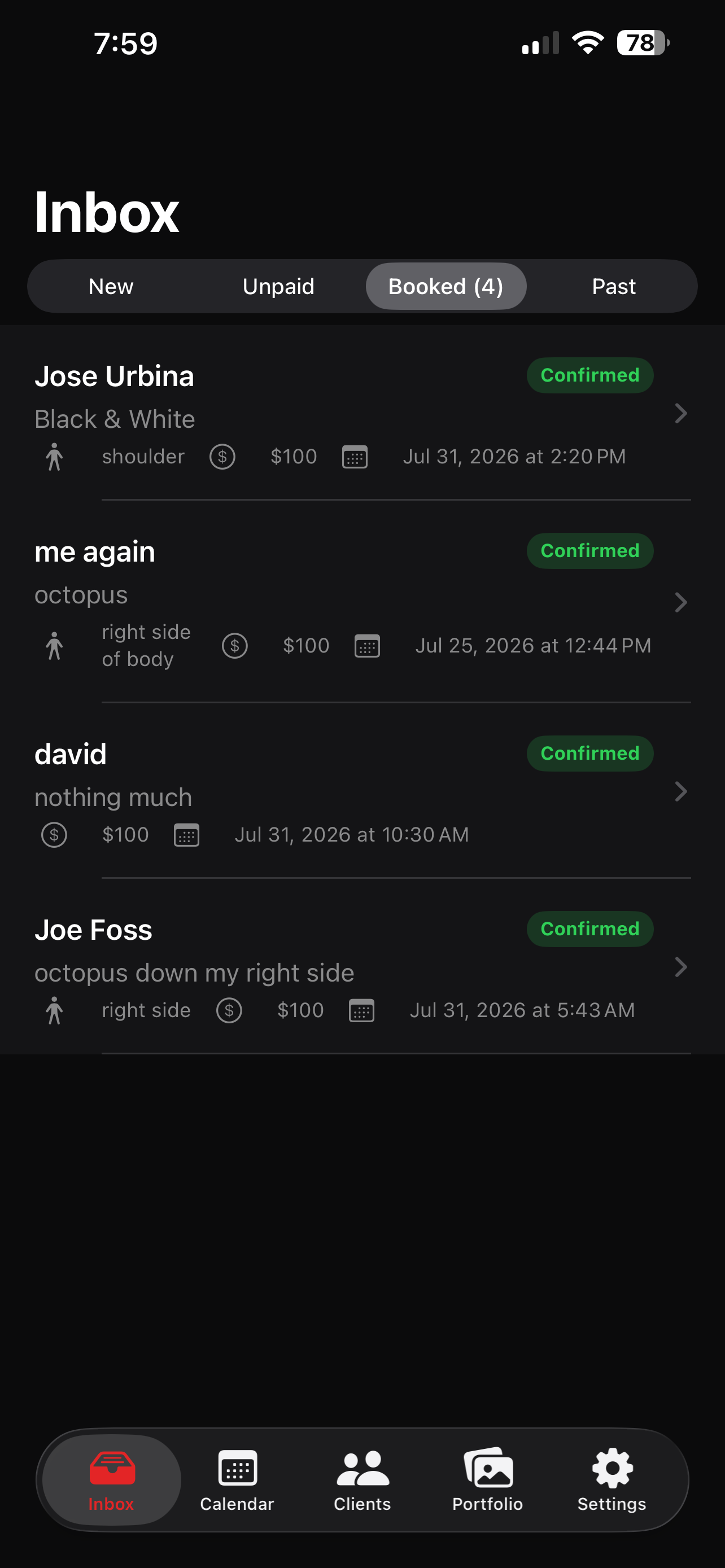
Deposits, and nothing booked without one
Approve a request, pick the date and the deposit amount, and the app sends a pay link. The client pays with Apple Pay, Cash App, or a card — whatever they already have set up.
The appointment appears on your calendar when the money lands. Not when they say they'll come. When the work is finished, open that appointment on your Calendar and tap Take a payment for the balance.
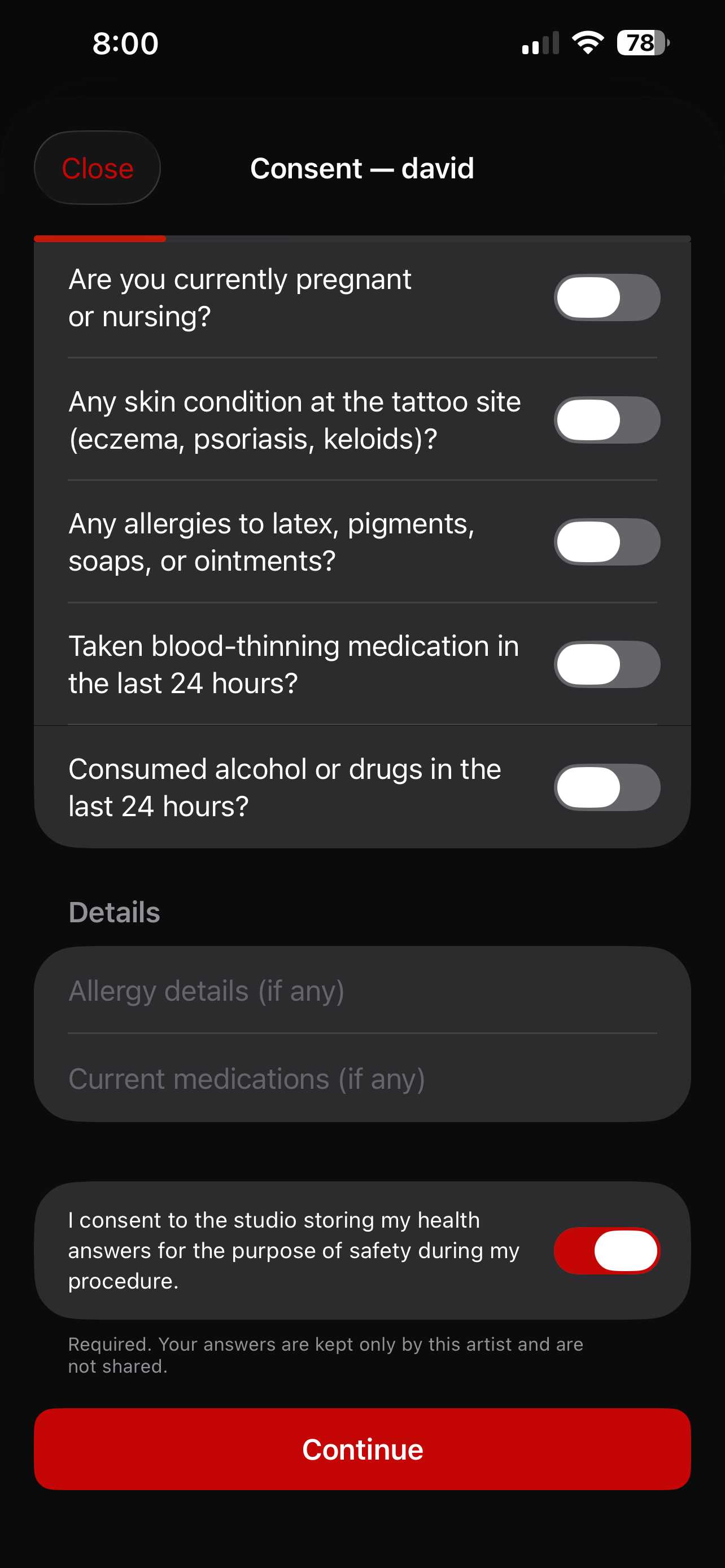
Consent that checks the ID
Scan the barcode on the back of a client's license and the app reads their real date of birth off it. Under 18 and the form won't file — that's not a checkbox you can tick past.
Photograph the front and it confirms you're photographing the right side. Then the health questionnaire, the acknowledgments, and a signature. It files a signed PDF to that client's record with a timestamp, the device, and a hash so nothing can be altered afterwards.
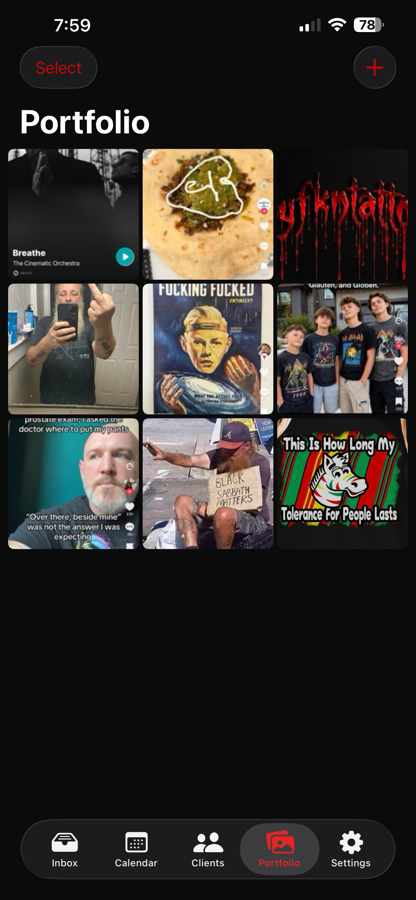
Your portfolio, however much of it you have
Add hundreds of photos at once, then close the app — uploads finish on their own, even with the app shut. Drag to reorder, caption anything, and it all shows on your public page.
Got a physical flash book? Hold the phone over a page and it shoots by itself, then pulls every piece off that page as its own image.
The rest of it.
Studios
Shop owners get a page listing every artist who works there, with up to five owners named on it. Each artist has their own page, and the shop page links to all of them.
Client records
Every client you've tattooed, their appointment history, their signed consent forms, and private notes only you can see.
Reminders
The day before an appointment and again after it, with aftercare. Sent automatically, in your timezone.
Payments
Deposits, final payments, whatever amount you need. Paid straight into your own bank account through Stripe.
Ink traceability
Record the brand, color and lot number against each consent form. It's the first thing a health inspector asks for after a reaction.
Export everything
Every client, appointment, payment and signed consent form in one file, any time. Your records are yours.
Collectors too
Not an artist? Make a page for the work you've had done and show off your collection.
No subscription
Nothing monthly. If you don't take a deposit, you don't pay anything.
Got tattoos? Show them off. 👀
You don't have to be an artist to use this. Download the app, sign in as a collector, and put your ink on a page of your own — every piece, who did it, what it means.
Free, same as everything else. Your page lives at myfkntattoos.com/@yourhandle and it's yours to share wherever you like.
$1.99 per $100 you collect.
That's the whole fee. No monthly charge, no per-artist charge, nothing to cancel. If you don't take a deposit this month, you pay nothing.
| On a $100 deposit | |
|---|---|
| Client pays | $100.00 |
| Card processing (Stripe) | −$3.20 |
| Platform fee | −$1.99 |
| You receive | $94.81 |
Card processing is Stripe's, not ours — it's the same fee any card payment carries anywhere. The app shows you both numbers before you send a link, and can work backwards from what you want to take home.
Payouts go straight into your own bank account. All that is done through Stripe.
Ten minutes, and most of it is Stripe.
Download the app first — everything happens in there.
1 — Make your account
Open the app and pick what you are: a studio, an artist, or a collector.
- Studio — you run a shop. You'll be asked for the shop name, its page address, and up to five owners. You also get your own artist page, so you can take bookings too.
- Artist — you tattoo, whether that's in a shop, renting a booth, or at home.
- Collector — you're not tattooing, you're showing off work you've had done.
Then pick your handle. That's your page address, so @yourname becomes myfkntattoos.com/@yourname. Choose the one you already use on your socials if it's free — people will recognize it.
There's no password. You enter your email, we send you a six-digit code, and that's it.
2 — Set up payouts
Settings → Set up payouts. This is Stripe, and it's the longest part — they need to know who you are before they'll send you money.
You'll need your legal name, date of birth, address, the last four of your SSN, and a bank account. Have those to hand and it's five minutes.
When it asks for your industry, pick whatever most plainly describes tattooing — usually under Personal Services. If there's an "Other" box, put Tattoo Artist. Don't pick anything medical: it triggers a compliance review that holds up your payouts for days.
Until this is done you can't take deposits at all, so it's worth doing first.
3 — Put some work up
Portfolio tab → + → Photo Library. Select as many as you like — a couple of hundred is fine — and hit the tick.
They prepare on screen, then upload in the background. You can close the app entirely and they'll keep going.
If your work is in a physical flash book, use Scan an album page instead. Hold the phone over the page, it shoots by itself, and every piece on that page comes out separately.
Tap Select to delete several at once, or long-press and drag a photo to reorder. Long-press also lets you caption one.
4 — Share your link
Settings → Share my link, or the checklist on your Inbox.
That link is the whole thing. It goes in your socials and your business cards. Everything a client needs to see your work and request an appointment is on that one page.
Settings → View my page shows you exactly what they'll see.
5 — Take your first booking
A request arrives in your Inbox and your phone buzzes. Open it and you'll see what they want, where on their body, roughly how big, when they're free, and any reference images.
Tap Create a pay link, pick the date and time, set the deposit, and send it. The app emails it to them and gives you a copy to share directly.
Nothing goes on your calendar until they pay. That's deliberate.
6 — Consent, at the appointment
Calendar → tap the appointment → Capture consent at check-in, then hand them the phone.
Scan the barcode on the back of their license. The app reads their real date of birth and blocks the form entirely if they're under 18. Passport or an unreadable barcode? There's a manual date of birth option.
Then the health questions, the acknowledgments, their signature, and a photo of the front of the ID. Add the ink brand and lot number while you're there — health inspectors ask for it.
It files a signed PDF to that client's record. You can open it any time from their appointment.
The things people ask.
Do I need the app, or can I do it all on the website?
You need the app. This website is where your clients find you and send requests — everything you do runs through the app on your phone.
Portfolio uploads, bookings, deposits, consent forms, client records: all in the app. Partly that's because consent needs a camera to scan an ID, and partly because you're rarely at a desk.
Who holds the money?
Stripe, and then your own bank account. We never hold it. You're the merchant of record on every payment your clients make, which means payouts go to you directly on Stripe's normal schedule.
What if a client disputes a payment?
They can ask their bank to reverse it, and that decision is the bank's — no policy either of us writes can override it.
What wins disputes is evidence, and that's a large part of why the app keeps a signed consent form with a timestamp, the device it was signed on, and a hash proving it hasn't been altered. You'll get an alert as soon as one is raised, and you respond through Stripe.
Can I make deposits non-refundable?
Yes. Set your cancellation policy in Settings and it appears on your public page, so a client agrees to it before they pay. That's normal in this industry.
It doesn't prevent a chargeback — nothing does — but it's evidence against one.
I work at a shop. Do I need my own account?
Yes, and you should want one. Your account is yours: your handle, your portfolio, your prices, your clients, your payouts. If you leave the shop tomorrow, all of it goes with you.
Joining a studio adds your name to their page and links the two together. It doesn't give the shop any control over your bookings or your money, and it can't.
How long do consent forms need to be kept?
It depends where you work — state health departments set it, and in a lot of states it's set by individual counties. It ranges from about a year to seven, and longer where a minor was involved.
The app defaults to seven years, which covers the longest period we know of, and lets you change it. Confirming what your county actually requires is worth a phone call.
Is my clients' information private?
Consent forms, ID photos and client records are readable only by the artist who collected them. Not by other artists, not by a studio you belong to, not publicly.
Portfolio images are public, because that's the point of them.
More detail in the privacy policy.
Does the ID scanning use facial recognition?
No. When you photograph the front of an ID, the app checks whether a face is in the frame — that's how it knows you photographed the front rather than the barcode side.
It doesn't measure facial geometry, doesn't create a faceprint, can't identify anyone, and nothing from that check is stored or sent anywhere. The client is told the same thing on the form they sign.
Can I get my data out?
Settings → Export everything. Every client, appointment, payment and signed consent form in one file, with download links for the PDFs.
Worth doing before you ever delete your account — those consent forms may be records you're required to keep.